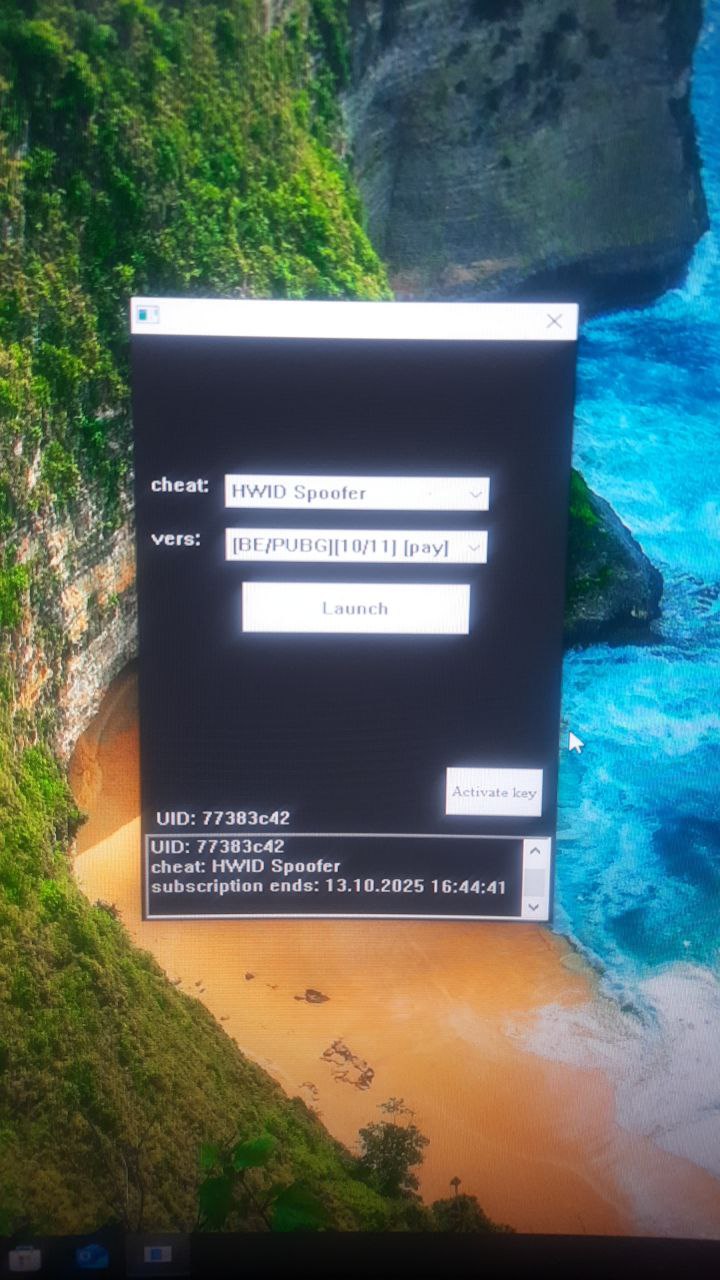
BE および EAC を使用したゲーム用の BH HWID スプーファー
人気の BE / EAC ゲーム用のプライベート BH HWID スプーファー。最も人気のあるスプーファーの 1 つで、複雑なハードドライブの禁止に対処するのに役立ちます。定期的なアップデート、簡単な起動と使用。
プランとお支払い
Checkout opens at our payment partner Digiseller — a secure, well-known marketplace gateway. You receive the access key right after payment.
After purchase — what happens next
-
1
Pay via Digiseller
Pick a plan and complete checkout on our payment partner. Card, e-wallet and crypto are supported.
-
2
Get your key / file
A download link or activation key arrives instantly in your Digiseller account and by email.
-
3
Follow the bundled guide
Before launching, read the pre-use tips — they cover the recommended Windows / TPM steps.
-
4
Stuck? Ping support
Reach us on Telegram or via the in-page chat — we walk you through it.
FAQ — this product
A spoofer reduces the chance that the anti-cheat re-flags your machine. No product can guarantee 100% protection — follow the bundled tips (clean Windows install, TPM cleanup) for the best result.
Supported anti-cheats and games are listed in the "Compatibility" and "Works with games" sections above. If your game / AC is not listed, ping support before buying.
If the spoofer doesn't activate on your hardware, contact us within the period stated on the Guarantees page — we either help fix it, swap it for another product, or refund.
Highly recommended for a fresh start: it clears traces the anti-cheat may already remember. Full instructions are in the tips section.
Instant. After Digiseller confirms payment, you receive a file / key in your Digiseller account and by email.
BH Spoofer は、多くのユーザーに使用されている高い効果を備えたプライベート HWID Spoofer です。この製品は定期的に更新されており、BattlEye および Easy Anti-Cheat アンチチートを使用してゲームのハードウェア制限を回避する場合に安定した結果を示します。その主な目的は、HWID 禁止後にゲームへのアクセスを取り戻すための HWID スプーフィングです。
仕組み:
- 一時的な HWID スプーフィング
- コンピューターからのみ禁止を解除します
- ゲームアカウントの禁止は解除されません
- すべての変更は PC を再起動するまで有効です
- 再起動後、データは元の状態に戻ります
使用前の準備:
推奨:
- Windowsを再インストールする
- ルーターを再起動します (動的 IP の場合)
- 古いゲームフォルダーを削除します
- ゲームを再インストールします
使用方法:
1. リムーバブルドライブからプログラムを実行します。
2. 正常に起動したら、ドライブを取り外します。
3. ローダーを起動します
4. HWID スプーファーを選択します
5. [有料]とマークされているバージョンを選択します
6. 「起動」をクリックします。
7. ローダーが閉じるまで待ちます
8. ゲームを開始する
チートと併用する場合:
ローダーを閉じた後:
1.まずチートを起動します
2.その後、ゲームを開始します
HWID リセット:
通常版 - PCを再起動します
静的バージョン:
- ローダーフォルダー内の「hwid」ファイルを削除します
- コンピュータを再起動します
重要な注意事項:
ほとんどのエラーは次のことが原因で発生します。
- TPM を有効にする
- AHCI以外のSATAモード
- 高速ブートの無効化
システム要件:
オペレーティング システム:
Windows 10: 20H2 / 21H1 / 21H2 / 22H2
Windows 11: 21H2 / 22H2 / 23H2
プロセッサ:
AMD
インテル
サポートされているアンチチート:
バトルアイ (BE)
簡単なアンチチート (EAC)
BIOS 要件:
SATA モード: AHCI
TPM: 無効 (TPM / fTPM / PTT / セキュリティチップ)
高速ブート: 有効
結果:
BH HWID Spoofer は、一時的なハードウェア データ スプーフィングを提供し、BattlEye と Easy Anti-Cheat を使用してゲームでの HWID 禁止を回避する機会を提供します。システムの準備や指示の厳守など、包括的なアプローチにより最大の結果が得られます。