Portal Permanent HWID Spoofer — BIOS レベルでの永続的な HWID 変更
Portal Perm — ファームウェア レベルで HWID を完全に置き換えるためのプライベート永続 BIOS スプーファー。組み込みの TPM スプーフィング、Vanguard、EAC、BattlEye、Ricochet のサポート。再起動および Windows の再インストール後も効果は持続します。
プランとお支払い
Checkout opens at our payment partner Digiseller — a secure, well-known marketplace gateway. You receive the access key right after payment.
After purchase — what happens next
-
1
Pay via Digiseller
Pick a plan and complete checkout on our payment partner. Card, e-wallet and crypto are supported.
-
2
Get your key / file
A download link or activation key arrives instantly in your Digiseller account and by email.
-
3
Follow the bundled guide
Before launching, read the pre-use tips — they cover the recommended Windows / TPM steps.
-
4
Stuck? Ping support
Reach us on Telegram or via the in-page chat — we walk you through it.
FAQ — this product
A spoofer reduces the chance that the anti-cheat re-flags your machine. No product can guarantee 100% protection — follow the bundled tips (clean Windows install, TPM cleanup) for the best result.
Supported anti-cheats and games are listed in the "Compatibility" and "Works with games" sections above. If your game / AC is not listed, ping support before buying.
If the spoofer doesn't activate on your hardware, contact us within the period stated on the Guarantees page — we either help fix it, swap it for another product, or refund.
Highly recommended for a fresh start: it clears traces the anti-cheat may already remember. Full instructions are in the tips section.
Instant. After Digiseller confirms payment, you receive a file / key in your Digiseller account and by email.
Portal Permanent HWID Spoofer は、マザーボード ファームウェア レベルでハードウェア識別子を完全に置き換えるためのプライベート永続 BIOS スプーファーです。この効果は再起動して Windows を再インストールした後も持続します。再起動する必要はありません。
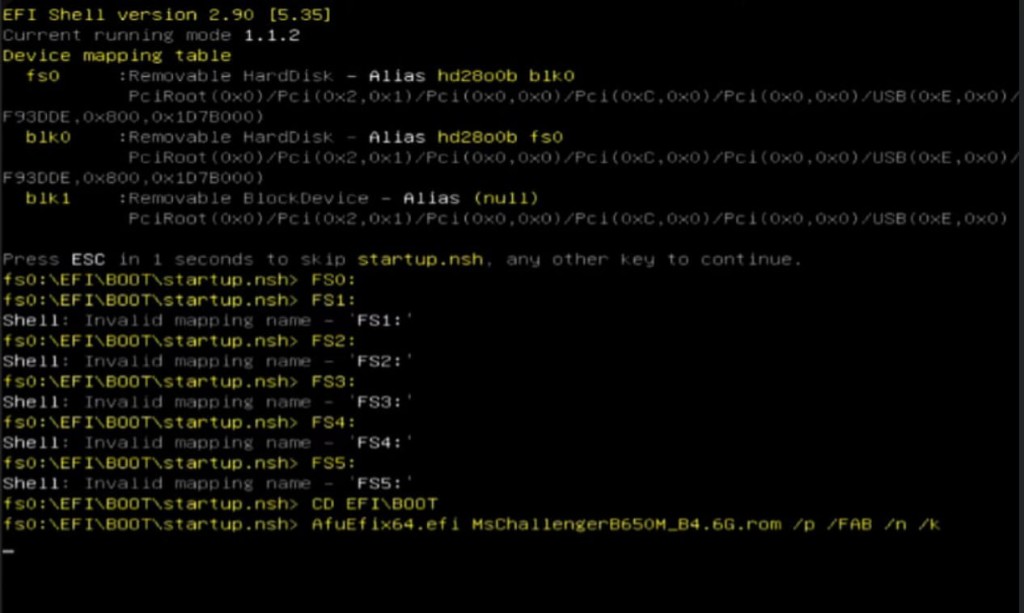
スプーファーは起動可能な USB ドライブを介して動作します。UEFI モジュールは、変更された識別子を BIOS に直接フラッシュし、最も深いレベルでのアンチチート制御をバイパスします。パッケージには、TPM 2.0 / fTPM 識別子を置き換える TPM スプーフィング モジュールが含まれています。これは、Valorant、Rust、および TPM バインディングを備えたその他のゲームにとって重要です。これにより、物理的な TPM モジュールを交換する必要がなくなります。
仕組み:
- BIOS レベルでの永久的な HWID の交換
- 各クライアントの個別のビルド
- 内蔵 TPM / fTPM 2.0 スプーフィング
- 再起動および Windows の再インストール後も効果は持続します
- MACアドレス変更を含む
アンチチートバイパス:
- ヴァンガード (ライオット)
- 簡単なアンチチート (EAC、Rust を含む)
- バトルアイ (BE)
- 跳弾
- GTA V / FiveM / RageMP 保護
インストール:
ビデオガイドによるステップバイステップの指示に従って、インストールには約 30 ~ 40 分かかります。このプロセスには、Windows の再インストール、BIOS の再フラッシュ、Ventoy 経由のスプーファーのロード、TPM スプーフの適用、MAC アドレスの変更が含まれます。
インストール手順:
1. Windows を再インストールします (Ghost Spectre、Win 10 22H2 Superlite)
2. BIOS を古いバージョンに再フラッシュする
3. BIOS を構成します - TPM とセキュアブートを無効にします
4. HWID スプーフィング (ONE STEPS → TWO STEPS → PORTAL UEFI)
5. Ventoy + ISO イメージによる TPM スプーフィング (AMD / Intel)
6. MACアドレスとIPの変更(TMACv6.0.7)
7. 最終構成 (Disabler、DeviceCleanup)
8. 完了 — ゲームをダウンロードし、最初の 1 週間は VPN でプレイします
重要:
- スプーフィングは 1 回だけ実行されます。クライアントごとに個別のビルドが作成されます。
- 再試行すると、なりすましがリセットされ、禁止が復元されます。
- Valorant、Delta Force、ABI の場合 — サポートによる必須の TPM バイパス
- 最初の 1 週間は VPN でのプレイが必須です
- スプーファーはコンピュータから禁止を解除するだけであり、禁止されたアカウントを復元することはありません
- ご購入前にゲームとの現在の互換性を確認するためにお問い合わせいただくことをお勧めします。
開発者向け手順: https://unnamed-resellers.gitbook.io/portal-spoofer-1/
システム要件:
オペレーティング システム:
Windows 10
Windows 11
プロセッサ:
インテル
AMD
グラフィックスカード:
どれでも
マザーボード:
ASUS、ASRock、MSI、ギガバイト、バイオスター、エイサー、MAXSUNなど
追加:
USB フラッシュ ドライブ 8 GB 以上 (必須)
タイプ: 永続的な BIOS + TPM スプーフ
結果:
Portal Permanent HWID Spoofer は、完全な TPM スプーフィングを使用して、BIOS ファームウェア レベルでの永続的なハードウェア識別子の置換を提供します。効果は永続的に持続します。再起動する必要はありません。最良の結果は、段階的な指示に厳密に従うことによって得られます。