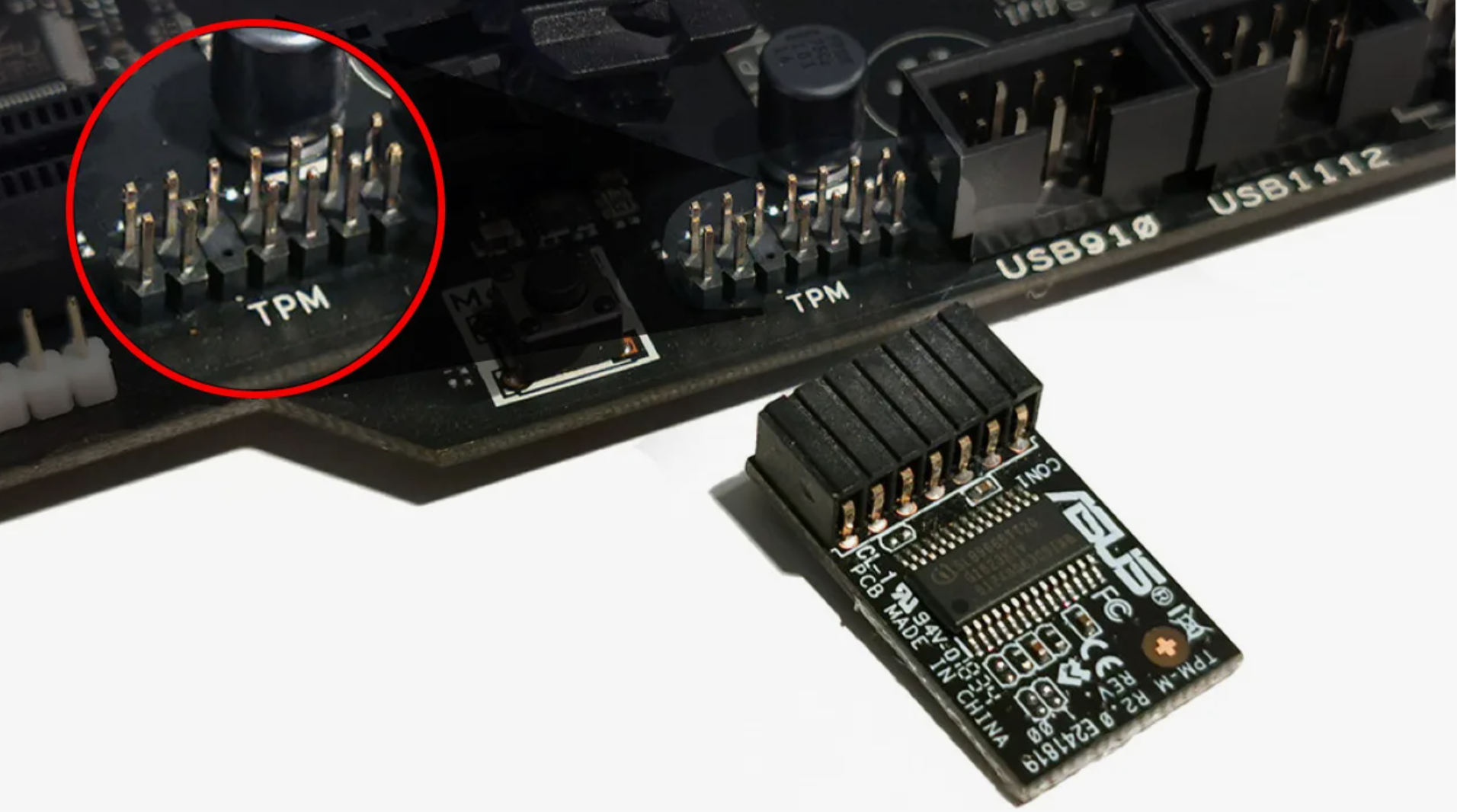
TPM スプーファー — TPM 2.0 のみ (メイン スプーファーへのアドオン)
TPM スプーファーは TPM 2.0 識別子のみを変更します。これは完全な HWID スプーファーではありません。 TPM に影響しない別のスプーファー (ディスク、MAC、SMBIOS など) と組み合わせて使用します。セキュア ブートおよび HVCI が有効な場合に動作します。
プランとお支払い
Checkout opens at our payment partner Digiseller — a secure, well-known marketplace gateway. You receive the access key right after payment.
After purchase — what happens next
-
1
Pay via Digiseller
Pick a plan and complete checkout on our payment partner. Card, e-wallet and crypto are supported.
-
2
Get your key / file
A download link or activation key arrives instantly in your Digiseller account and by email.
-
3
Follow the bundled guide
Before launching, read the pre-use tips — they cover the recommended Windows / TPM steps.
-
4
Stuck? Ping support
Reach us on Telegram or via the in-page chat — we walk you through it.
FAQ — this product
A spoofer reduces the chance that the anti-cheat re-flags your machine. No product can guarantee 100% protection — follow the bundled tips (clean Windows install, TPM cleanup) for the best result.
Supported anti-cheats and games are listed in the "Compatibility" and "Works with games" sections above. If your game / AC is not listed, ping support before buying.
If the spoofer doesn't activate on your hardware, contact us within the period stated on the Guarantees page — we either help fix it, swap it for another product, or refund.
Highly recommended for a fresh start: it clears traces the anti-cheat may already remember. Full instructions are in the tips section.
Instant. After Digiseller confirms payment, you receive a file / key in your Digiseller account and by email.
重要: TPM Spoofer は、TPM 2.0 モジュール ID の変更のみを目的としています。ディスク、MAC、SMBIOS、GPU、またはその他のハードウェア ID は偽装されません。これは完全な HWID スプーファーの代替品ではありません。TPM を変更しない別のスプーファーと併用する必要があります。 TPM Spoofer だけではハードウェア禁止を修正できません。
TPM Spoofer は、TPM 2.0 レベルで TPM を変更するための永続的なソリューションです。このツールは長期間使用できるように設計されています。この効果は Windows を再インストールした後も持続し、セキュア ブートと HVCI が有効になっている場合は正しく動作します。
従来の HWID スプーファーとは異なり、TPM スプーファーは信頼できるモジュール (TPM) レベルでのみ状態を変更します。他の識別子は別のスプーファーを使用して変更する必要があります。
目的:
— 永続的な HWID の変更
— TPM 2.0 レベルでの動作
— 繰り返されるハードウェア バインディングの排除
— 最新のアンチチート機能を備えたシステムで使用
特徴:
— ハードウェア識別子の永続的な変更
— TPM 2.0 レベルでの動作
— Windows を再インストールした後も結果が保存される
— セキュアブートを有効にした場合の正しい動作
— HVCI / 仮想化ベースのセキュリティのサポート
— あらゆるマザーボードと互換性があります
— ドライバーや OS との競合がない
— 一時的な解決策を必要としない安定した運用
アンチチートサポート:
— ヴァンガード
— 簡単なアンチチート (EAC)
— バトルアイ
— FaceIT
— エース
— その他の最新のアンチチート システム
システム要件:
サポートされているシステム: Windows 10、11
サポートされているプロセッサ: Intel および AMD
サポートされているマザーボード: すべて
アンチチート: あらゆる可能性
追加要件: Windows の再インストールが必要です
インストール:
— ステップバイステップの説明によるインストール
— 平均取り付け時間: 20 ~ 30 分
— ビデオガイドが利用可能
— セットアップ支援が提供されます
重要な情報:
— 解決策は永続的です
— OS の再インストール後も効果は維持されます
— 長期使用向けに設計されています
— 安定性は指示に従うかどうかに依存します
結果:
TPM Spoofer は、TPM 2.0 のみの安定した変更を提供します。 HWID を完全に変更するには、TPM に影響しないメイン スプーファ (ディスク、MAC、SMBIOS など) と一緒に使用する必要があります。