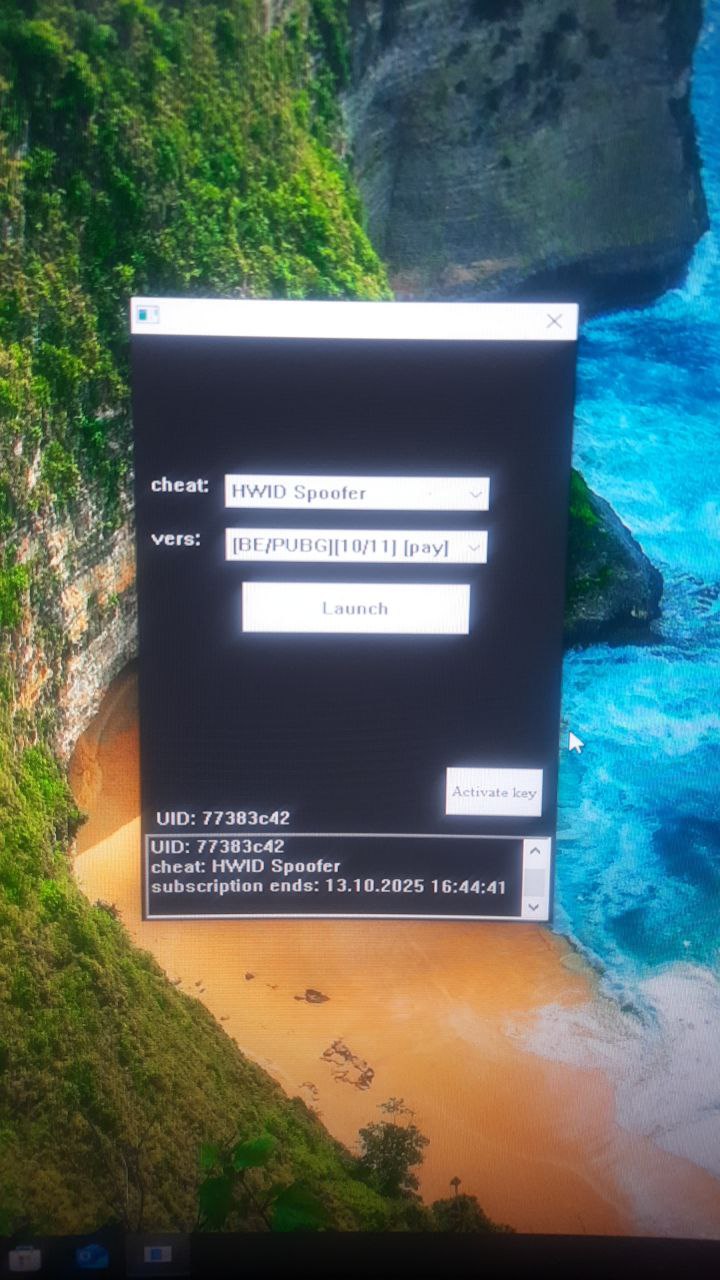
BE 및 EAC가 포함된 게임용 BH HWID Spoofer
인기 있는 BE/EAC 게임을 위한 비공개 BH HWID 스푸퍼입니다. 가장 인기 있는 스푸퍼 중 하나는 복잡한 하드 드라이브 금지를 처리하는 데 도움이 됩니다. 정기적인 업데이트, 시작 및 사용이 쉽습니다.
요금제 및 결제
Checkout opens at our payment partner Digiseller — a secure, well-known marketplace gateway. You receive the access key right after payment.
After purchase — what happens next
-
1
Pay via Digiseller
Pick a plan and complete checkout on our payment partner. Card, e-wallet and crypto are supported.
-
2
Get your key / file
A download link or activation key arrives instantly in your Digiseller account and by email.
-
3
Follow the bundled guide
Before launching, read the pre-use tips — they cover the recommended Windows / TPM steps.
-
4
Stuck? Ping support
Reach us on Telegram or via the in-page chat — we walk you through it.
FAQ — this product
A spoofer reduces the chance that the anti-cheat re-flags your machine. No product can guarantee 100% protection — follow the bundled tips (clean Windows install, TPM cleanup) for the best result.
Supported anti-cheats and games are listed in the "Compatibility" and "Works with games" sections above. If your game / AC is not listed, ping support before buying.
If the spoofer doesn't activate on your hardware, contact us within the period stated on the Guarantees page — we either help fix it, swap it for another product, or refund.
Highly recommended for a fresh start: it clears traces the anti-cheat may already remember. Full instructions are in the tips section.
Instant. After Digiseller confirms payment, you receive a file / key in your Digiseller account and by email.
BH Spoofer는 많은 사용자가 사용하는 높은 효율성을 지닌 비공개 HWID Spoofer입니다. 이 제품은 정기적으로 갱신되며 BattlEye 및 Easy Anti-Cheat 안티 치트를 사용하는 게임에서 하드웨어 제한을 우회할 때 안정적인 결과를 보여줍니다. 주요 목적은 HWID 금지 후 게임에 다시 액세스하기 위한 HWID 스푸핑입니다.
작동 방식:
- 임시 HWID 스푸핑
- 컴퓨터에서만 금지를 제거합니다.
- 게임 계정에서 차단을 제거하지 않습니다.
- 모든 변경 사항은 PC 재부팅 전까지 유효합니다.
- 재부팅 후 데이터는 원래 상태로 돌아갑니다.
사용 전 준비사항:
권장사항:
- 윈도우 재설치
- 라우터 재부팅(동적 IP인 경우)
- 기존 게임 폴더 삭제
- 게임을 다시 설치하세요
사용 지침:
1. 이동식 드라이브에서 프로그램을 실행합니다.
2. 성공적으로 시작한 후 드라이브를 제거하십시오.
3. 로더 실행
4. HWID 스푸퍼를 선택하세요
5. [유료]라고 표시된 버전을 선택하세요.
6. 시작을 클릭하세요
7. 로더가 닫힐 때까지 기다립니다.
8. 게임을 시작하세요
치트와 함께 사용:
로더를 닫은 후:
1. 먼저 치트를 실행하세요
2. 그런 다음 게임을 시작합니다
HWID 재설정:
일반 버전 - PC 재부팅
정적 버전:
- 로더 폴더에 있는 "hwid" 파일을 삭제하세요.
- 컴퓨터를 재부팅하세요
중요 사항:
대부분의 오류는 다음으로 인해 발생합니다.
- 활성화된 TPM
- AHCI 이외의 SATA 모드
- 빠른 부팅 비활성화
시스템 요구사항:
운영 체제:
윈도우 10: 20H2 / 21H1 / 21H2 / 22H2
윈도우 11: 21H2/22H2/23H2
프로세서:
AMD
인텔
지원되는 치트 방지 프로그램:
배틀아이(BE)
간편한 치트 방지(EAC)
BIOS 요구 사항:
SATA 모드: AHCI
TPM: 비활성화됨(TPM / fTPM / PTT / 보안 칩)
빠른 부팅: 활성화됨
결과:
BH HWID Spoofer는 임시 하드웨어 데이터 스푸핑을 제공하고 BattlEye 및 Easy Anti-Cheat를 사용하여 게임에서 HWID 금지를 우회할 수 있는 기회를 제공합니다. 시스템 준비 및 지침의 엄격한 준수를 포함한 포괄적인 접근 방식을 통해 최대 결과를 얻을 수 있습니다.