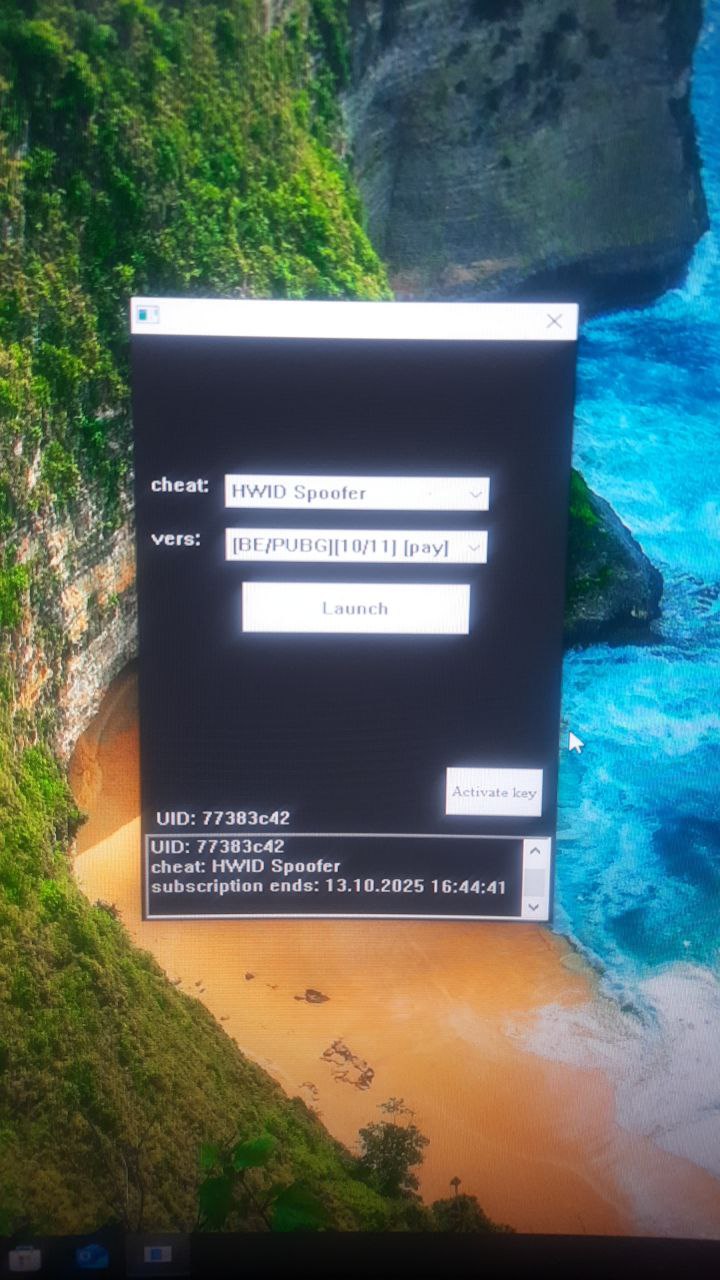
BH HWID Spoofer สำหรับเกมที่มี BE และ EAC
BH HWID Spoofer ส่วนตัวสำหรับเกม BE / EAC ยอดนิยม หนึ่งในผู้ปลอมแปลงที่ได้รับความนิยมมากที่สุด ช่วยจัดการกับการแบนฮาร์ดไดรฟ์ที่ซับซ้อน อัปเดตเป็นประจำ เปิดและใช้งานได้ง่าย
แพ็กเกจและการชำระเงิน
Checkout opens at our payment partner Digiseller — a secure, well-known marketplace gateway. You receive the access key right after payment.
After purchase — what happens next
-
1
Pay via Digiseller
Pick a plan and complete checkout on our payment partner. Card, e-wallet and crypto are supported.
-
2
Get your key / file
A download link or activation key arrives instantly in your Digiseller account and by email.
-
3
Follow the bundled guide
Before launching, read the pre-use tips — they cover the recommended Windows / TPM steps.
-
4
Stuck? Ping support
Reach us on Telegram or via the in-page chat — we walk you through it.
FAQ — this product
A spoofer reduces the chance that the anti-cheat re-flags your machine. No product can guarantee 100% protection — follow the bundled tips (clean Windows install, TPM cleanup) for the best result.
Supported anti-cheats and games are listed in the "Compatibility" and "Works with games" sections above. If your game / AC is not listed, ping support before buying.
If the spoofer doesn't activate on your hardware, contact us within the period stated on the Guarantees page — we either help fix it, swap it for another product, or refund.
Highly recommended for a fresh start: it clears traces the anti-cheat may already remember. Full instructions are in the tips section.
Instant. After Digiseller confirms payment, you receive a file / key in your Digiseller account and by email.
BH Spoofer เป็น HWID Spoofer ส่วนตัวที่มีประสิทธิภาพสูงซึ่งมีผู้ใช้จำนวนมากใช้งาน ผลิตภัณฑ์มีการต่ออายุเป็นประจำและแสดงผลลัพธ์ที่เสถียรเมื่อข้ามข้อจำกัดด้านฮาร์ดแวร์ในเกมที่มีโปรแกรมป้องกันการโกง BattlEye และ Easy Anti-Cheat วัตถุประสงค์หลักคือการปลอมแปลง HWID เพื่อเข้าถึงเกมได้อีกครั้งหลังจากการแบน HWID
มันทำงานอย่างไร:
- การปลอมแปลง HWID ชั่วคราว
- ลบการแบนออกจากคอมพิวเตอร์เท่านั้น
- ไม่ลบการแบนออกจากบัญชีเกม
- การเปลี่ยนแปลงทั้งหมดจะมีผลจนกว่าพีซีจะรีบูต
- หลังจากรีบูต ข้อมูลจะกลับสู่สถานะดั้งเดิม
การเตรียมตัวก่อนใช้:
แนะนำ:
- ติดตั้งวินโดวส์ใหม่
- รีบูทเราเตอร์ (หาก IP แบบไดนามิก)
- ลบโฟลเดอร์เกมเก่าออก
- ติดตั้งเกมใหม่
คำแนะนำการใช้งาน:
1. เรียกใช้โปรแกรมจากไดรฟ์แบบถอดได้
2. หลังจากสตาร์ทสำเร็จ ให้ถอดไดรฟ์ออก
3. เปิดตัวโหลดเดอร์
4. เลือก HWID Spoofer
5. เลือกรุ่นที่ทำเครื่องหมายว่า [จ่าย]
6. คลิก เปิดตัว
7. รอให้ตัวโหลดปิด
8. เริ่มเกม
การใช้กลโกง:
หลังจากปิดตัวโหลด:
1. เปิดโปรแกรมโกงก่อน
2. จากนั้นเริ่มเกม
HWID รีเซ็ต:
เวอร์ชันปกติ — รีบูทพีซี
เวอร์ชันคงที่:
- ลบไฟล์ "hwid" ในโฟลเดอร์ตัวโหลด
- รีบูทคอมพิวเตอร์
หมายเหตุสำคัญ:
ข้อผิดพลาดส่วนใหญ่เกิดจาก:
- เปิดใช้งาน TPM
- โหมด SATA อื่นที่ไม่ใช่ AHCI
- ปิดการใช้งานการบูตอย่างรวดเร็ว
ความต้องการของระบบ:
ระบบปฏิบัติการ:
วินโดวส์ 10: 20H2 / 21H1 / 21H2 / 22H2
วินโดวส์ 11: 21H2 / 22H2 / 23H2
หน่วยประมวลผล:
เอเอ็มดี
อินเทล
Anti-Cheats ที่รองรับ:
แบตเทิลอาย (พ.ศ.)
ป้องกันการโกงอย่างง่าย (EAC)
ข้อกำหนดของไบออส:
โหมด SATA: AHCI
TPM: ปิดการใช้งาน (TPM / fTPM / ปตท. / ชิปรักษาความปลอดภัย)
บูตด่วน: เปิดใช้งานแล้ว
ผลลัพธ์:
BH HWID Spoofer ให้การปลอมแปลงข้อมูลฮาร์ดแวร์ชั่วคราวและมีโอกาสที่จะหลีกเลี่ยงการแบน HWID ในเกมที่มี BattlEye และ Easy Anti-Cheat บรรลุผลลัพธ์สูงสุดด้วยแนวทางที่ครอบคลุม รวมถึงการเตรียมระบบและการปฏิบัติตามคำแนะนำอย่างเคร่งครัด