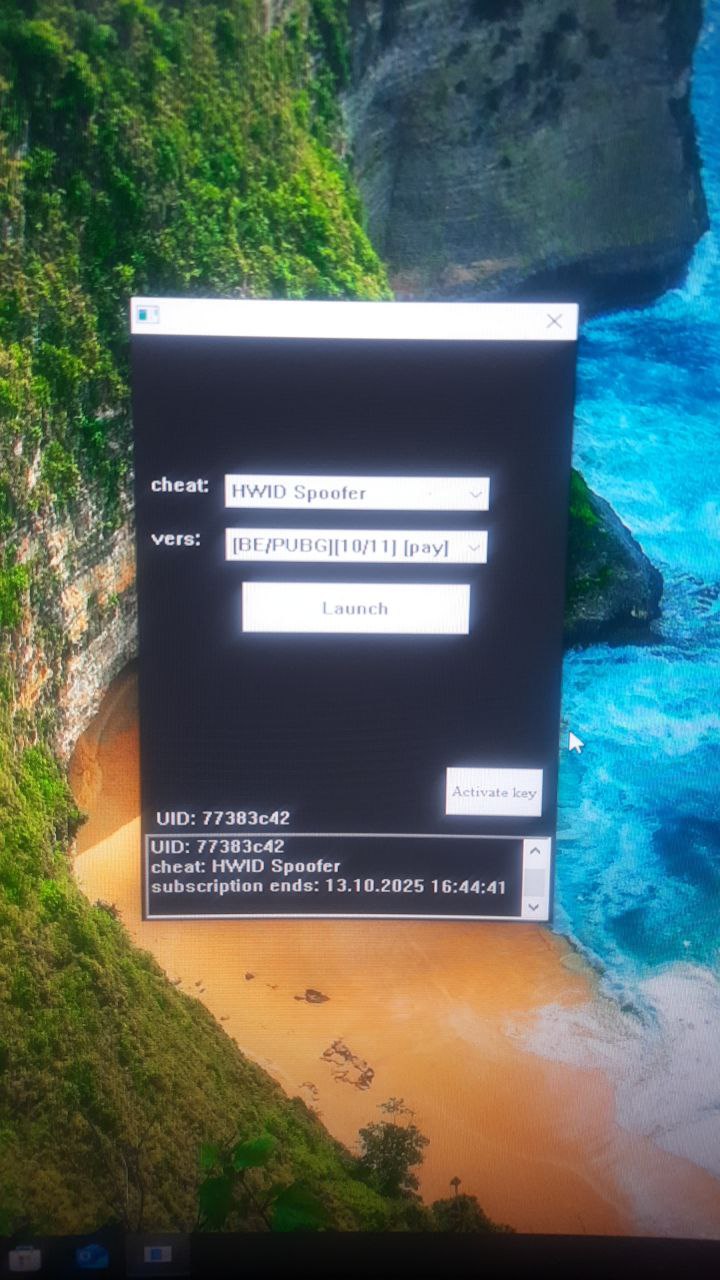
BH HWID Spoofer,适用于 BE 和 EAC 游戏
适用于流行 BE / EAC 游戏的专用 BH HWID Spoofer。最受欢迎的欺骗程序之一,有助于处理复杂的硬盘禁令。定期更新,易于启动和使用。
套餐与支付
Checkout opens at our payment partner Digiseller — a secure, well-known marketplace gateway. You receive the access key right after payment.
After purchase — what happens next
-
1
Pay via Digiseller
Pick a plan and complete checkout on our payment partner. Card, e-wallet and crypto are supported.
-
2
Get your key / file
A download link or activation key arrives instantly in your Digiseller account and by email.
-
3
Follow the bundled guide
Before launching, read the pre-use tips — they cover the recommended Windows / TPM steps.
-
4
Stuck? Ping support
Reach us on Telegram or via the in-page chat — we walk you through it.
FAQ — this product
A spoofer reduces the chance that the anti-cheat re-flags your machine. No product can guarantee 100% protection — follow the bundled tips (clean Windows install, TPM cleanup) for the best result.
Supported anti-cheats and games are listed in the "Compatibility" and "Works with games" sections above. If your game / AC is not listed, ping support before buying.
If the spoofer doesn't activate on your hardware, contact us within the period stated on the Guarantees page — we either help fix it, swap it for another product, or refund.
Highly recommended for a fresh start: it clears traces the anti-cheat may already remember. Full instructions are in the tips section.
Instant. After Digiseller confirms payment, you receive a file / key in your Digiseller account and by email.
BH Spoofer是一款高效的私有HWID Spoofer,被大量用户使用。该产品定期更新,在使用BattlEye和Easy Anti-Cheat反作弊的游戏中绕过硬件限制时显示出稳定的结果。其主要目的是进行 HWID 欺骗,以便在 HWID 禁止后重新获得游戏访问权限。
工作原理:
- 临时 HWID 欺骗
- 仅删除计算机的禁令
- 不会解除游戏帐户的禁令
- 所有更改均有效,直至电脑重新启动
- 重启后,数据恢复到原始状态
使用前准备:
推荐:
- 重新安装Windows
- 重新启动路由器(如果是动态IP)
- 删除旧游戏文件夹
- 重新安装游戏
使用说明:
1. 从可移动驱动器运行程序
2.启动成功后,移除驱动器
3.启动加载程序
4. 选择 HWID 欺骗程序
5.选择标有【付费】的版本
6. 单击“启动”
7.等待加载器关闭
8.开始游戏
与作弊一起使用:
关闭加载程序后:
1.首先启动作弊程序
2.然后开始游戏
硬件标识符重置:
普通版——重启电脑
静态版本:
- 删除loader文件夹中的“hwid”文件
- 重新启动计算机
重要提示:
大多数错误是由以下原因引起的:
- 启用TPM
- AHCI 以外的 SATA 模式
- 禁用快速启动
系统要求:
操作系统:
Windows 10:20H2 / 21H1 / 21H2 / 22H2
Windows 11:21H2 / 22H2 / 23H2
处理器:
AMD
英特尔
支持的反作弊:
战眼 (比利时)
简易反作弊 (EAC)
BIOS 要求:
SATA模式:AHCI
TPM:禁用(TPM / fTPM / PTT /安全芯片)
快速启动:已启用
结果:
BH HWID Spoofer 提供临时硬件数据欺骗,并有机会绕过 BattlEye 和 Easy Anti-Cheat 游戏中的 HWID 禁令。通过综合方法实现最大结果,包括系统准备和严格遵守说明。